
How to Update Your Contact Email Address
Need to change the email linked to your Webafrica account? Here’s how:
Steps to Update Your Email
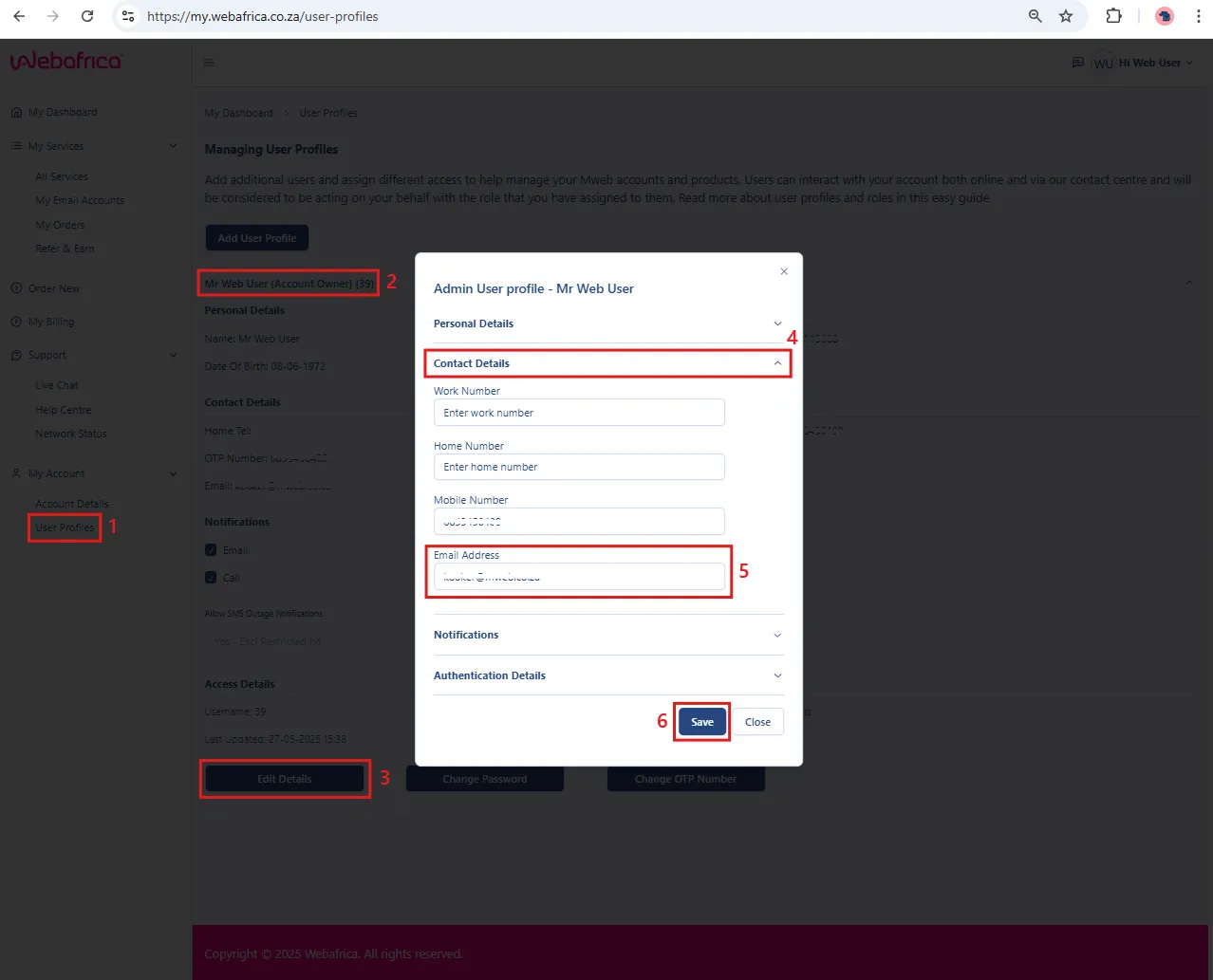
- Log into CustomerZone.
- Go to User Profiles.
- Select your profile.
- Select Edit Details.
- Drop down Contact Details.
- Update your email address.
- Click Save to complete.
Next time you log in, use your updated email address.
Was this article helpful?