
If your Vuma Reach service is not connecting to the internet, work through these checks before contacting Support.
Step 1: Check your payment status
A missed or unsuccessful payment may cause your Vuma Reach service to be suspended.
When you try to browse the internet, you may be redirected to the Webafrica payment page instead of the website you were trying to visit.
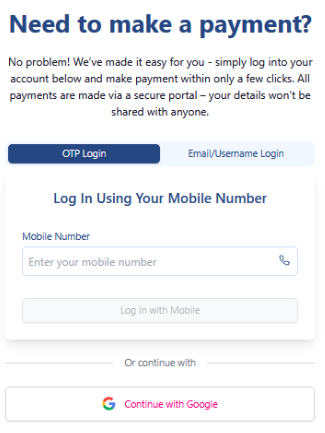
Log in using your mobile number or Webafrica account details, then follow the prompts to make payment.
See “What Happens If I Miss a Vuma Reach Payment?” for more information about restoring your service after payment.
Step 2: Check your ONT lights
Check the lights on your Vuma Reach ONT:
- Power: This light should be on.
- PON: This light should be on.
- LOS: This light should be off.
- WLAN: This light should be on for your WiFi network to be available.
Also check that the power cable and any connected network cables are firmly plugged in.
See “Understanding Your Vuma Reach ONT Lights” for more information about what each light means.
If your area recently experienced load-shedding or a power outage, the Fibre network may take some time to reconnect after power is restored. See “Load-Shedding and Your Internet Connection” for more information.
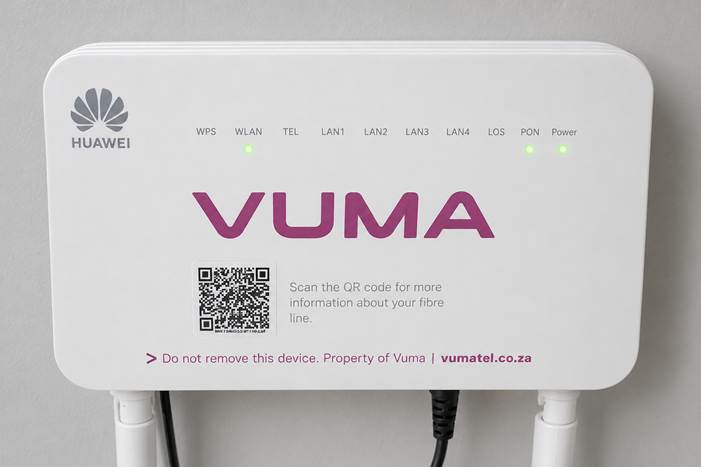
Vuma Reach ONT showing indicator lights.
Step 3: Restart your ONT
- Switch the ONT off at the wall.
- Wait 30 seconds.
- Switch it back on.
- Allow a few minutes for the lights and internet connection to return.
Do not press the Reset button, as this may remove your WiFi settings.
Step 4: Check for an outage
Visit the Webafrica Network Status page to check whether there is a known outage affecting your area.
Step 5: Contact Support
If your payment is up to date, there is no reported outage, and your connection is still not working, contact the Webafrica Support Team.
Tell the agent:
- Which lights are on, off, or flashing
- Whether you can see and connect to your WiFi network
- Whether you are redirected to a Webafrica payment page
This information will help us identify the problem more quickly.