
How to Complete the Webafrica eRICA Process
To comply with RICA regulations, all LTE orders must be validated via an online identity verification process. Follow the steps below to complete your Webafrica eRICA process.
-
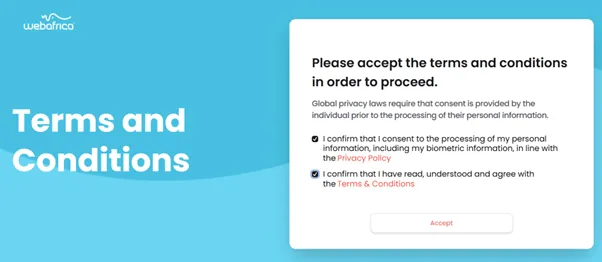
Accept the Terms and Conditions
Tick both boxes to confirm:
- You consent to the processing of your personal and biometric data.
- You’ve read and accepted the Terms and Conditions.
Click Accept.
-
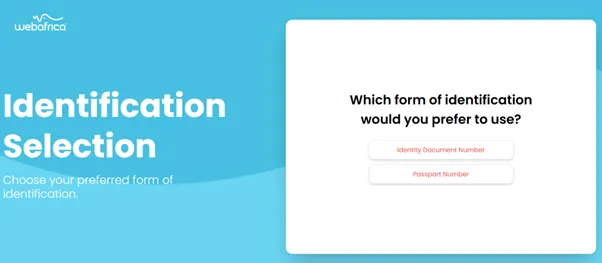
Choose Your Identification Method
Select your preferred option:
- Identity Document Number
- Passport Number
-
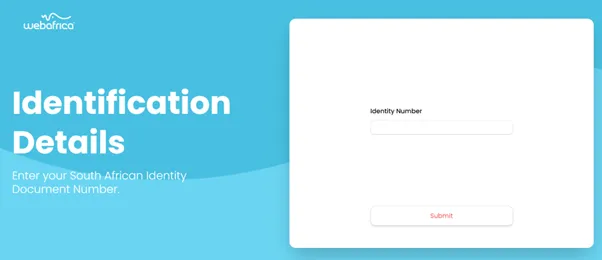
Enter Your ID Number
Enter your South African ID number and click Submit.
-
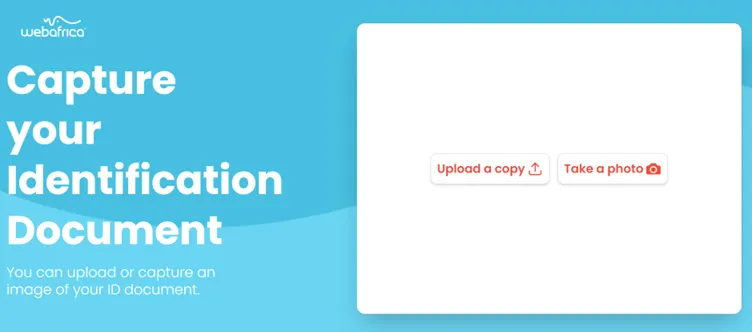
Capture or Upload Your ID
Choose one of the following:
- Upload a copy of your ID
- Take a photo using your device
-
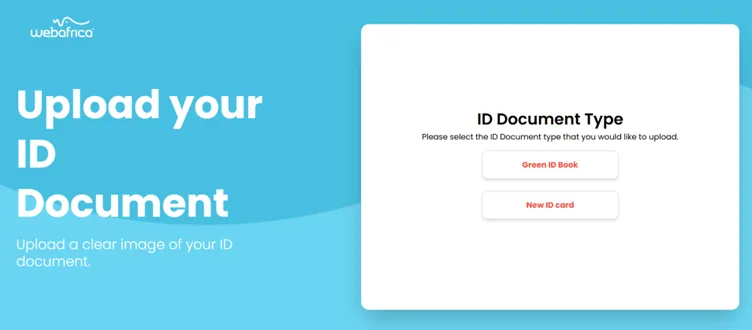
Select Your ID Type
Pick either:
- Green ID Book, or
- New ID Card
-
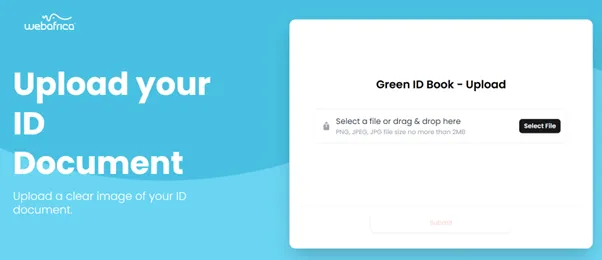
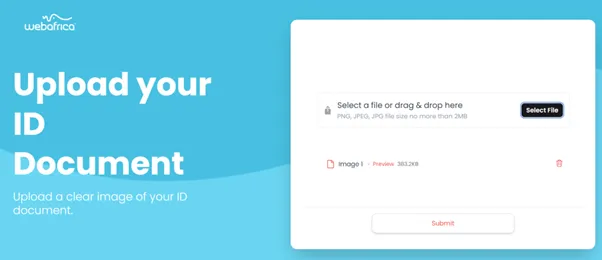
Upload Your ID Document
- Upload a clear image of your ID (PNG/JPG under 2MB)
- Click Submit to continue
-
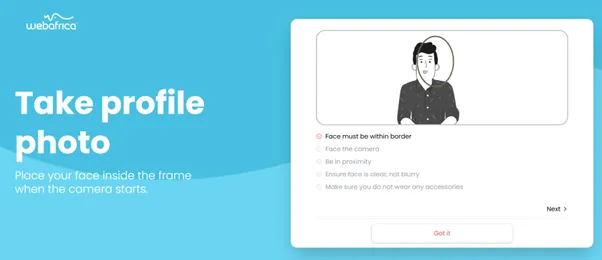
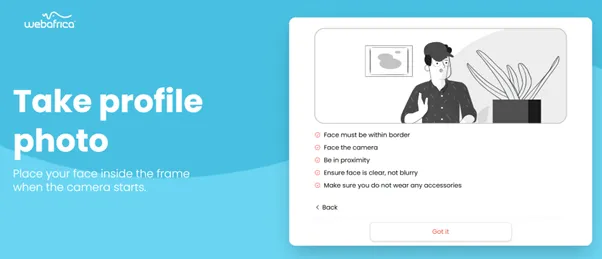
Take a Profile Photo
Follow the on-screen guidelines:
- Face the camera
- Be in close proximity
- Make sure your face is clear and well-lit
Click Got it to start.
-
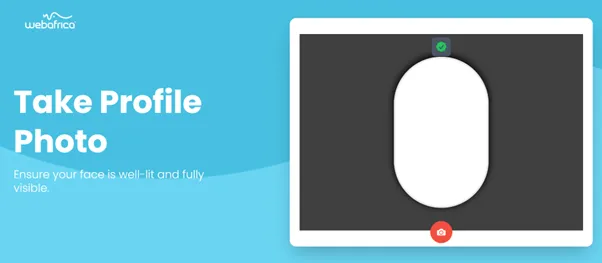
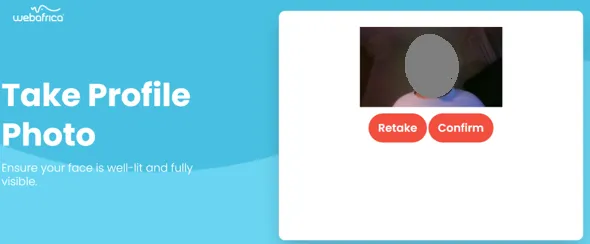
Capture and Confirm Your Photo
Once the camera activates:
- Take a photo
- Click Confirm or Retake if needed
-
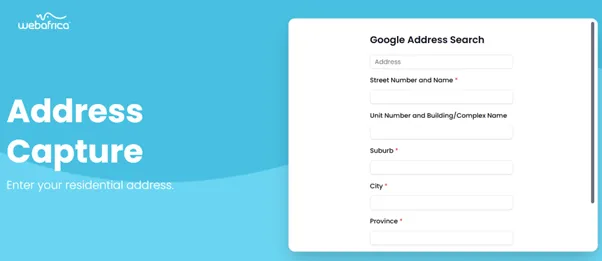
Enter Your Residential Address
Complete all address fields:
- Street, Unit/Complex, Suburb, City, Province, Postal Code
Click Validate
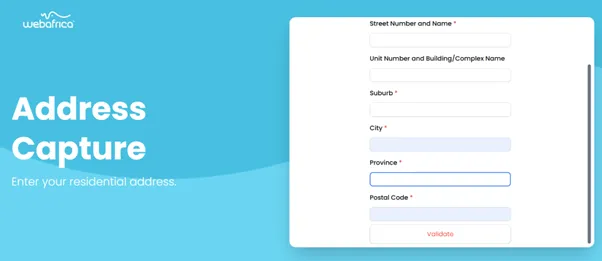
- Street, Unit/Complex, Suburb, City, Province, Postal Code
-
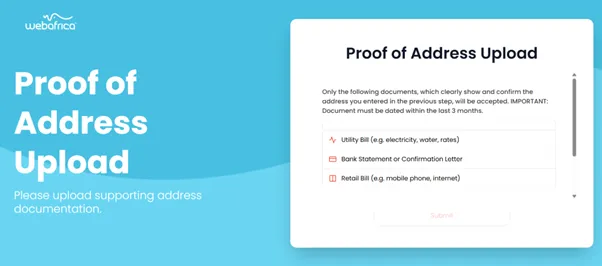
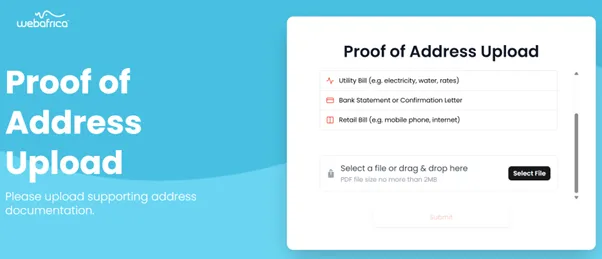
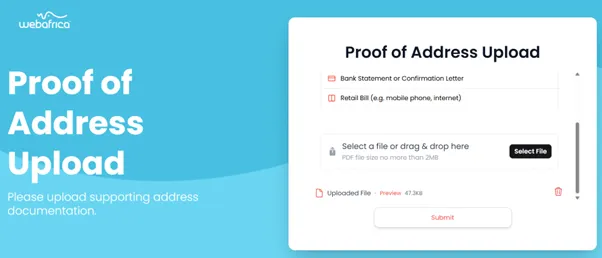
Upload Your Proof of Address
Accepted documents (dated within 3 months):
- Utility Bill
- Bank Statement or Confirmation Letter
- Retail Bill (e.g. cell phone or internet)
-
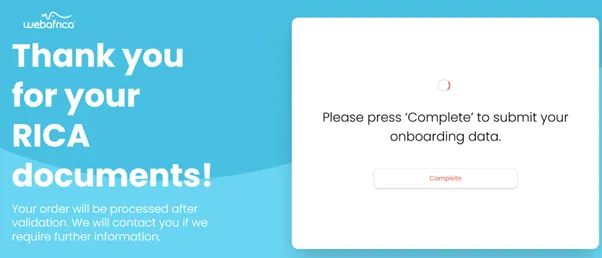
Final Submission
Click Complete to submit your onboarding information.
-
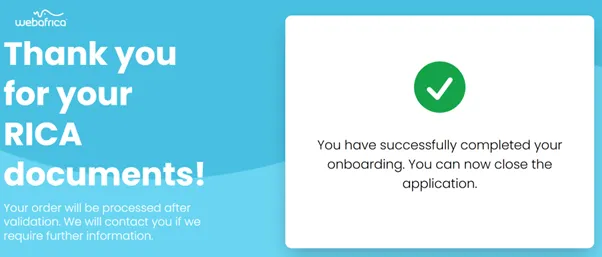
Confirmation
Once submitted successfully, you’ll see a message confirming completion. You may now close the application.
Note: Your submission will be reviewed. If more info is required, we’ll contact you.
Was this article helpful?